5. Rest Mode & Finish Workout
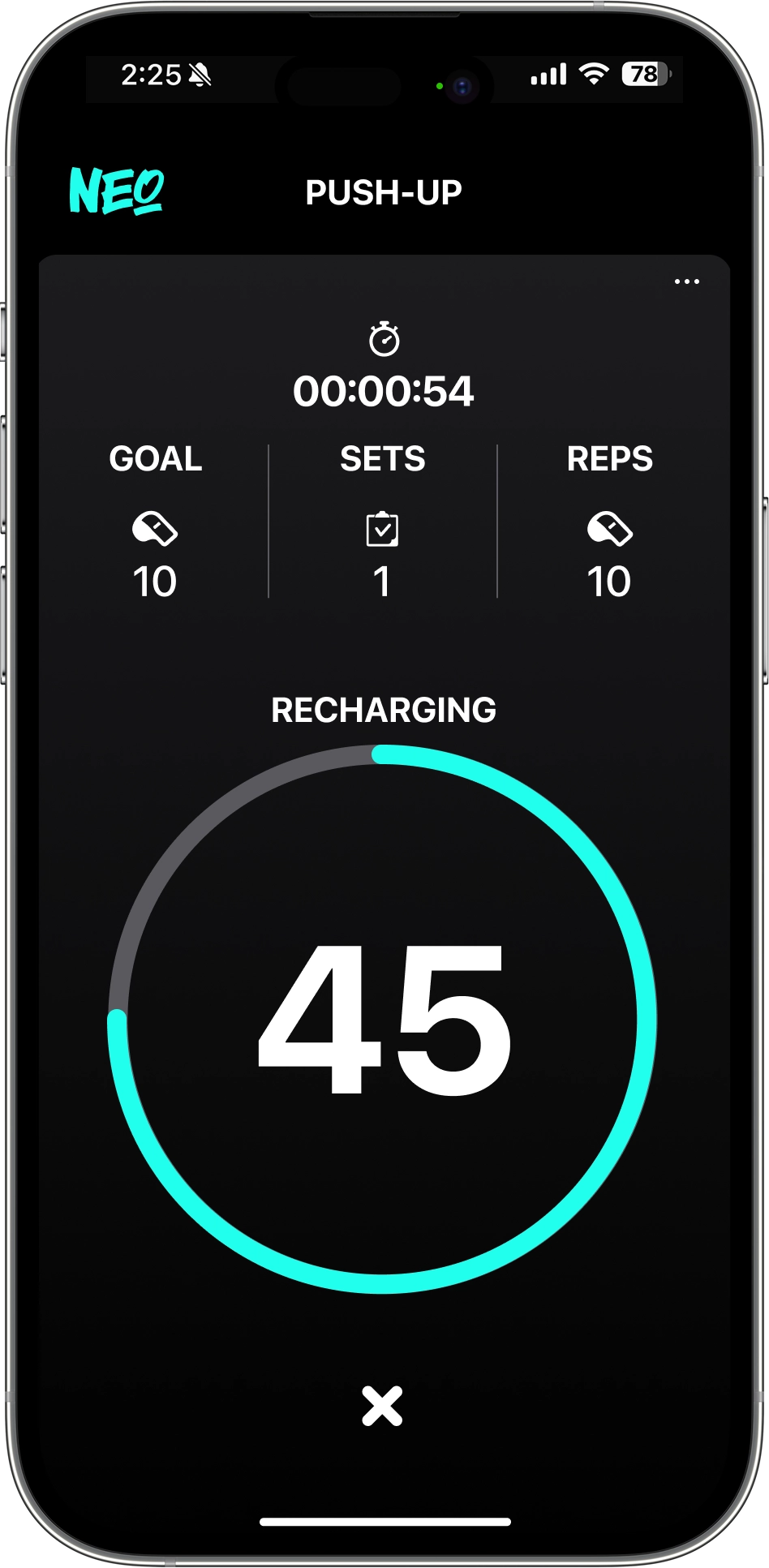
 Counting will start for the rest duration that was initially set.
During this time, you can readjust your workout goal or check your progress so far. Once the rest period is over, you can seamlessly proceed to the next set or choose to end your workout.
Counting will start for the rest duration that was initially set.
During this time, you can readjust your workout goal or check your progress so far. Once the rest period is over, you can seamlessly proceed to the next set or choose to end your workout.
• Proceeding to the Next Set
☛ Once the set rest time has been fully counted down, a voice guide will announce, "Break’s over. Let’s start the next set." and you can begin the next set by tapping the [ ︎] button or using the "Start" voice command.
︎] button or using the "Start" voice command.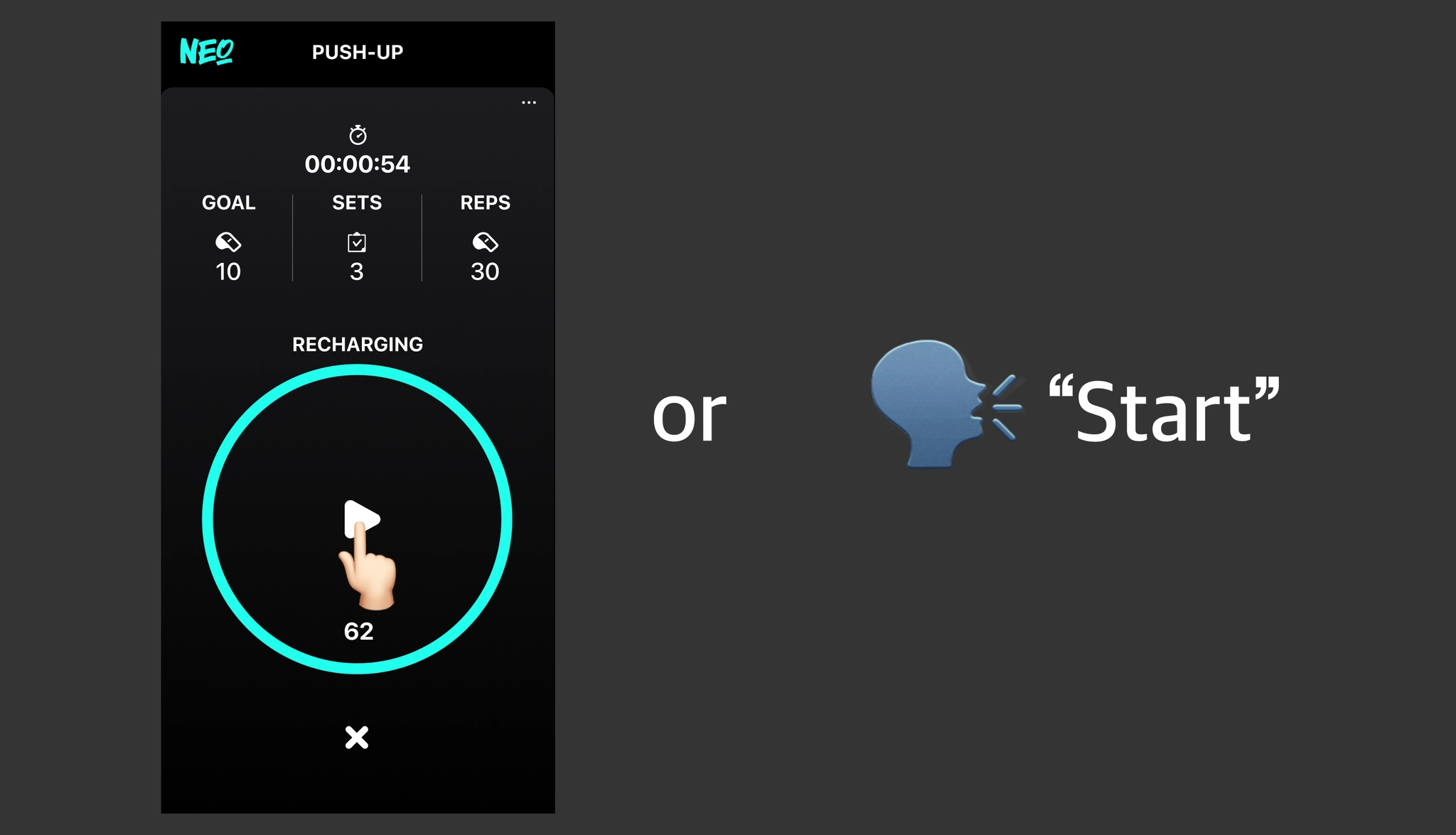
• Ending the Workout
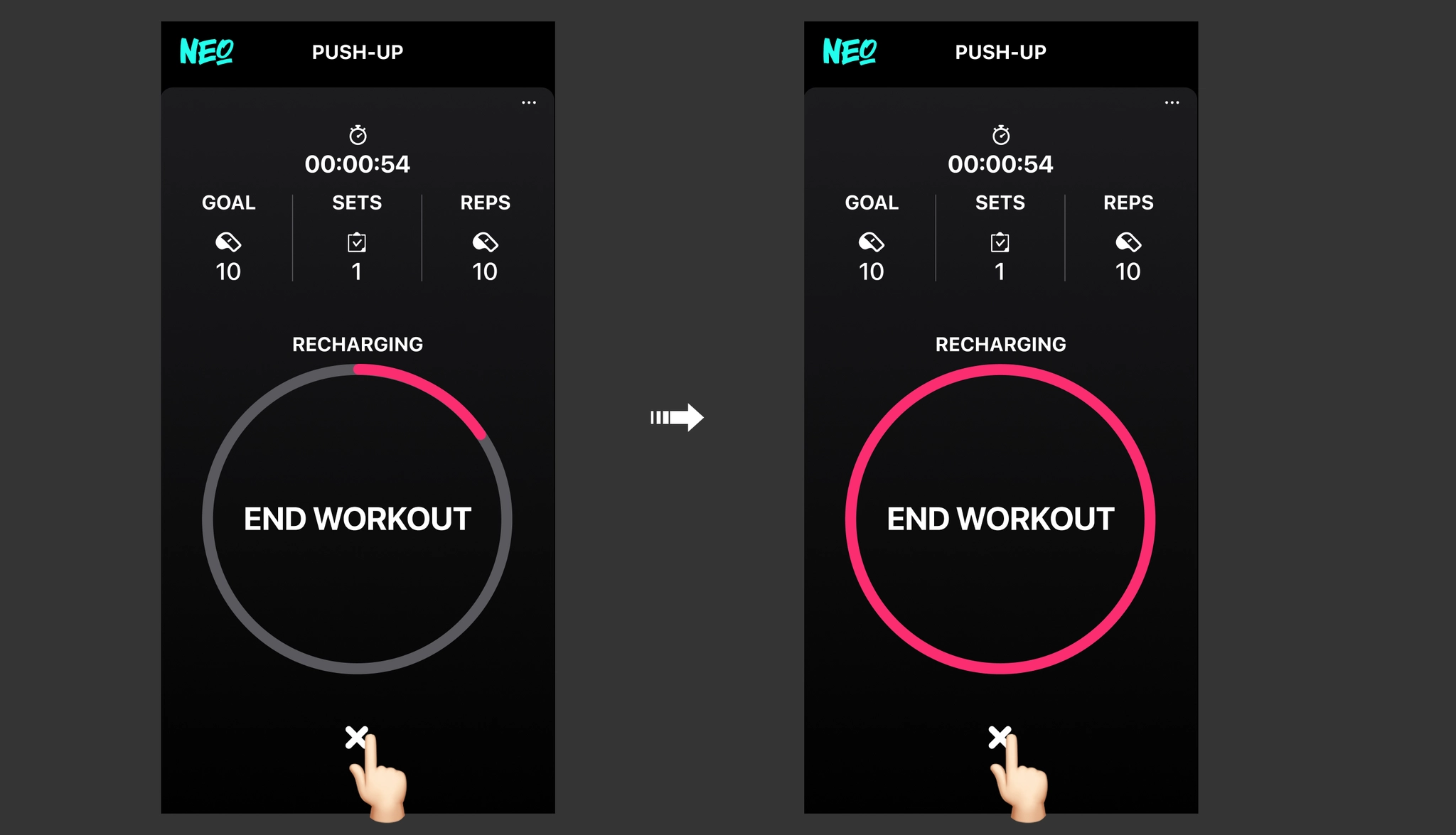
☛ You can end the workout by long-pressing the [×] button.
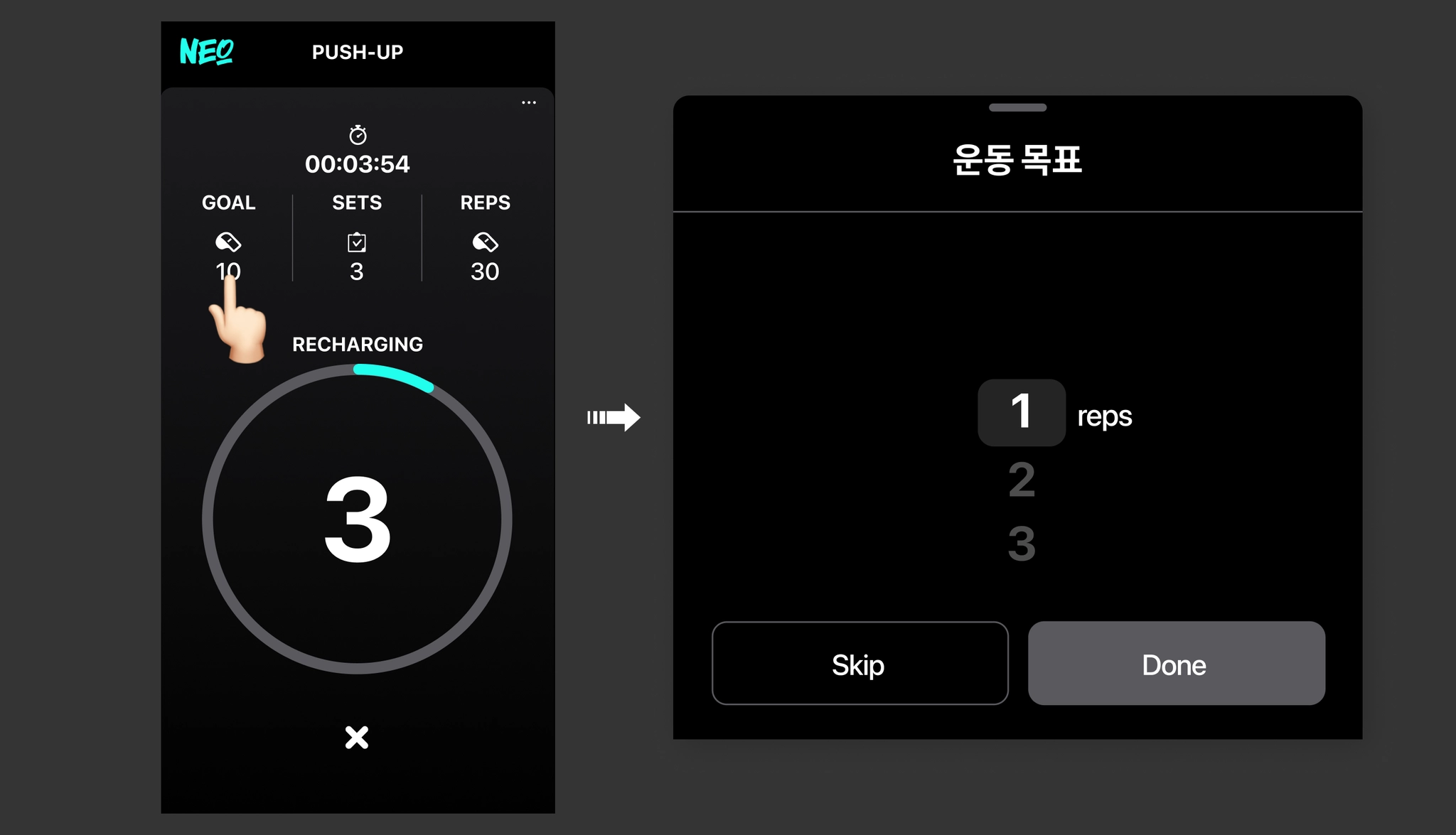
• Adjusting the Workout Goal
☛ Tap the [GOAL] button to modify the current workout goal and apply it to the next set.
• Checking Previous Set Workout Records
☛ Tap the [SETS] button to check the detailed workout records of previous sets.
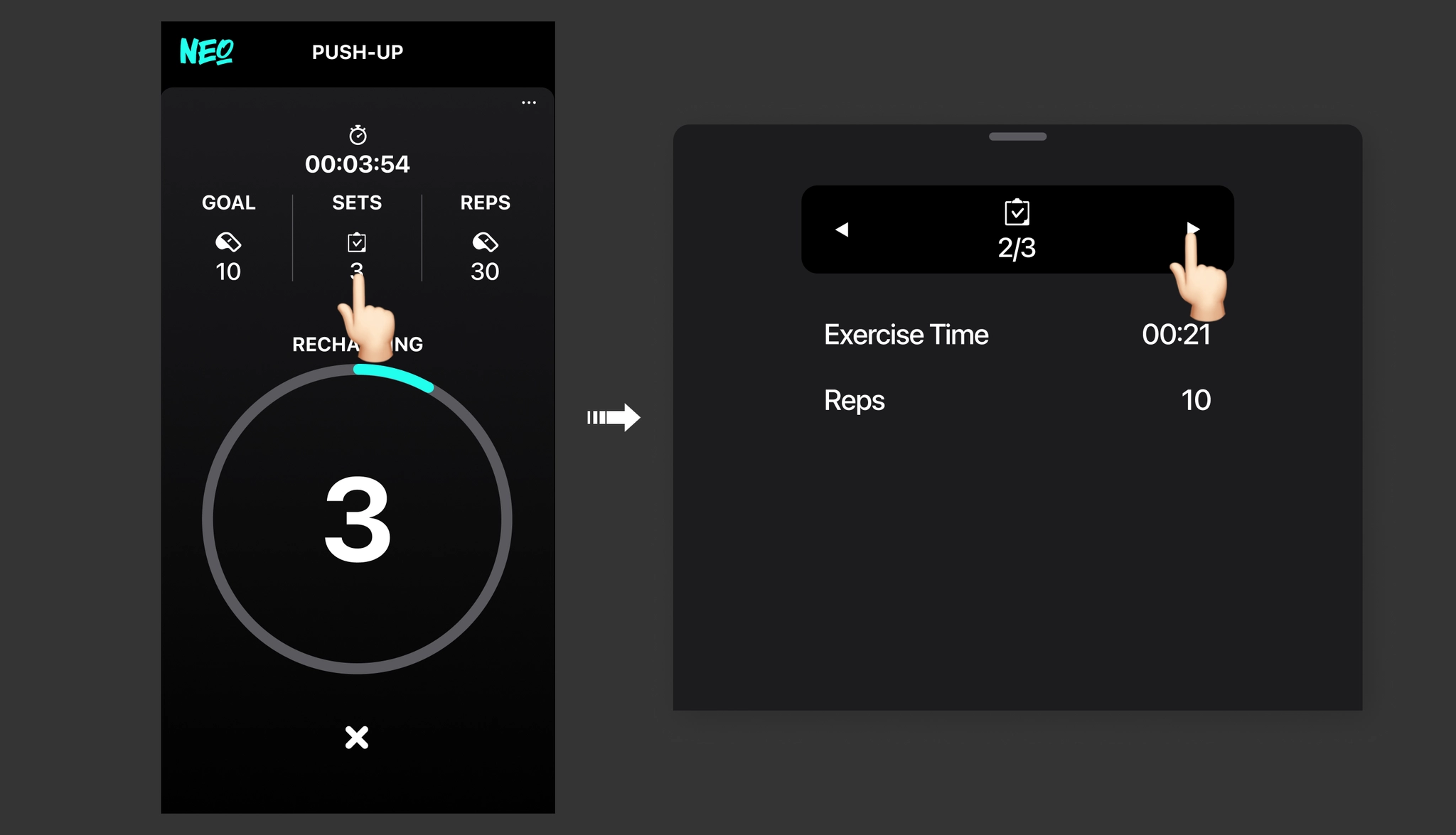
✓ Exercise Time: The duration of the workout performed during one set.
✓ Reps: The number of repetitions performed during one set.
☛ Tap the [REPS] button to check the detailed records for each accumulated repetition.
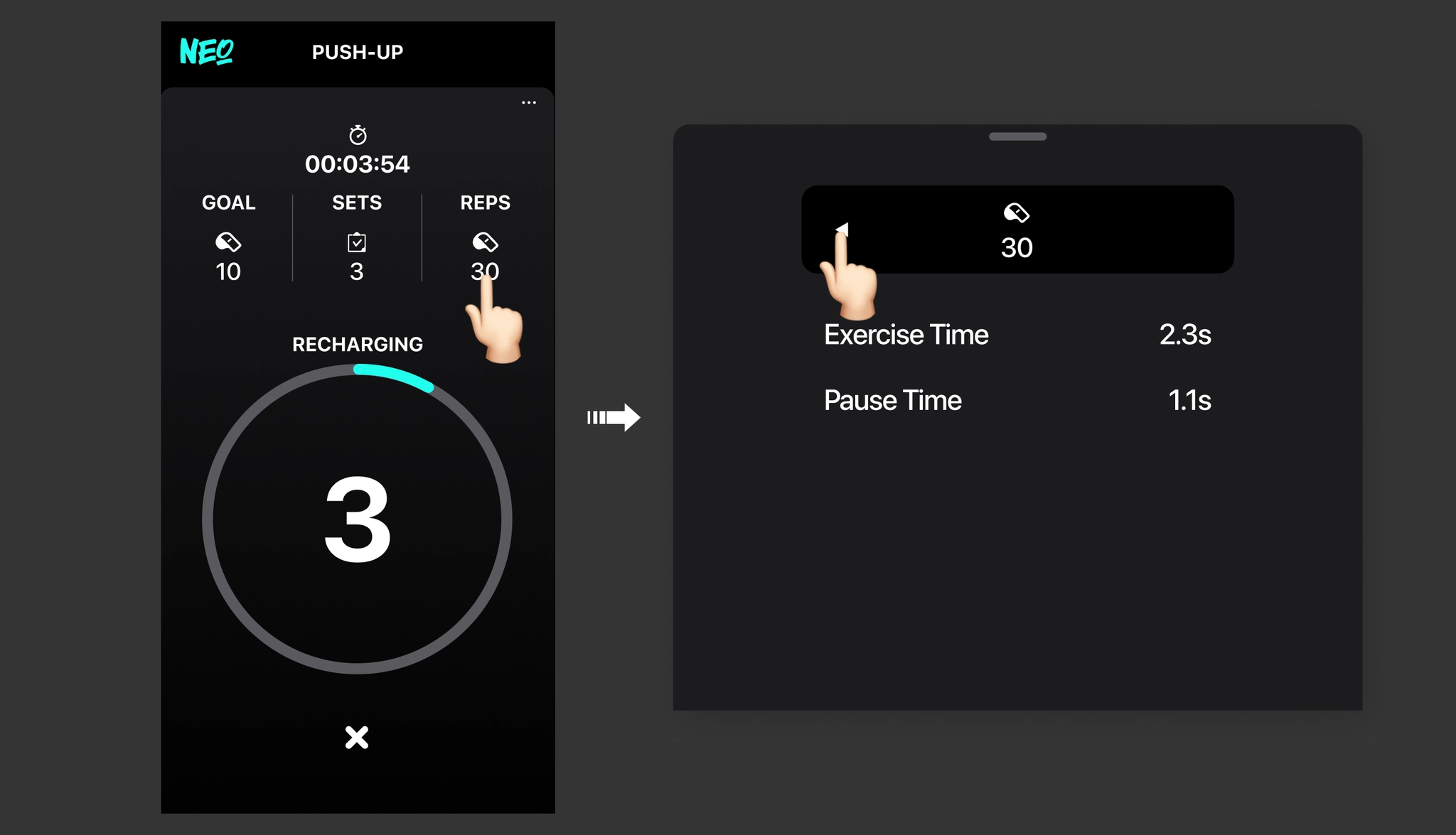
✓ Exercise Time: The time taken for one movement (repetition).
✓ Pause Time: The time you paused before performing a repetition.
• Checking Workout Guide Settings
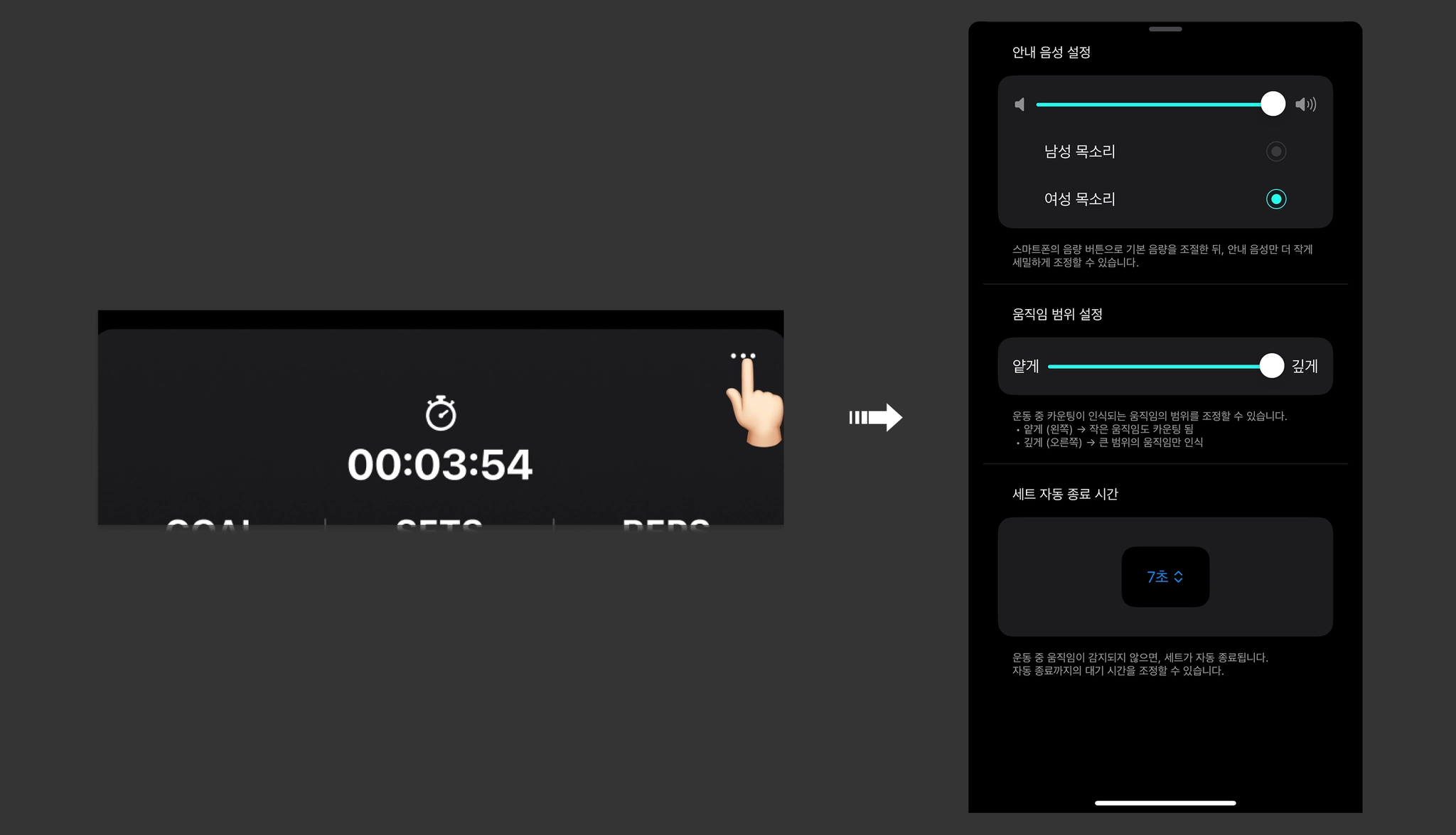
☛ Tap the [•••] button to check or change the workout guide settings.