6. My Activity
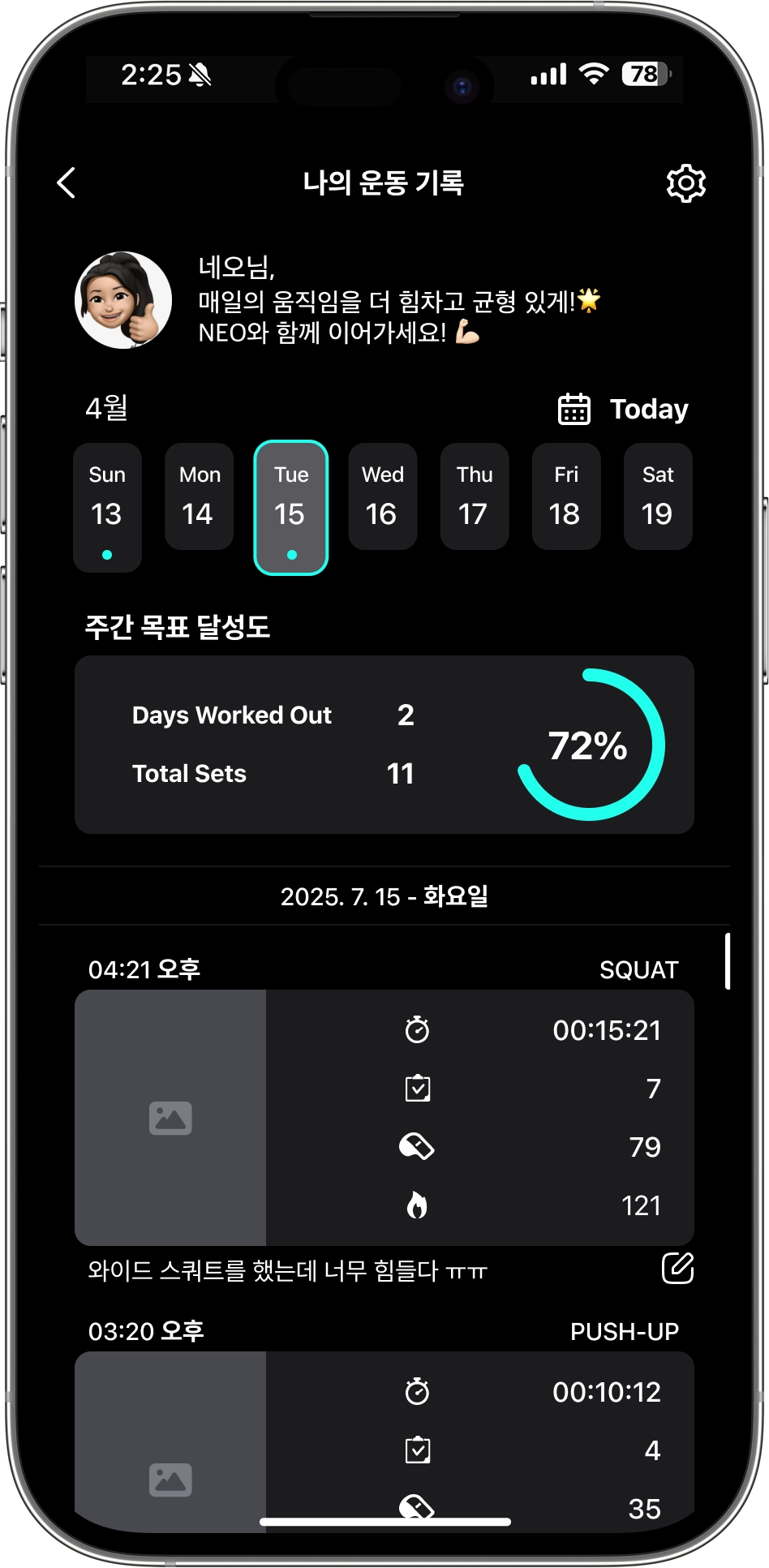
 All of your workout history is organized and saved by date.
Look back at your records to understand your own patterns, plan new routines, or motivate yourself.
All of your workout history is organized and saved by date.
Look back at your records to understand your own patterns, plan new routines, or motivate yourself.
• Opening My Workout History Page
☛ Tap the  icon on the Workout Preparation Page to move to the My Activity screen.
icon on the Workout Preparation Page to move to the My Activity screen.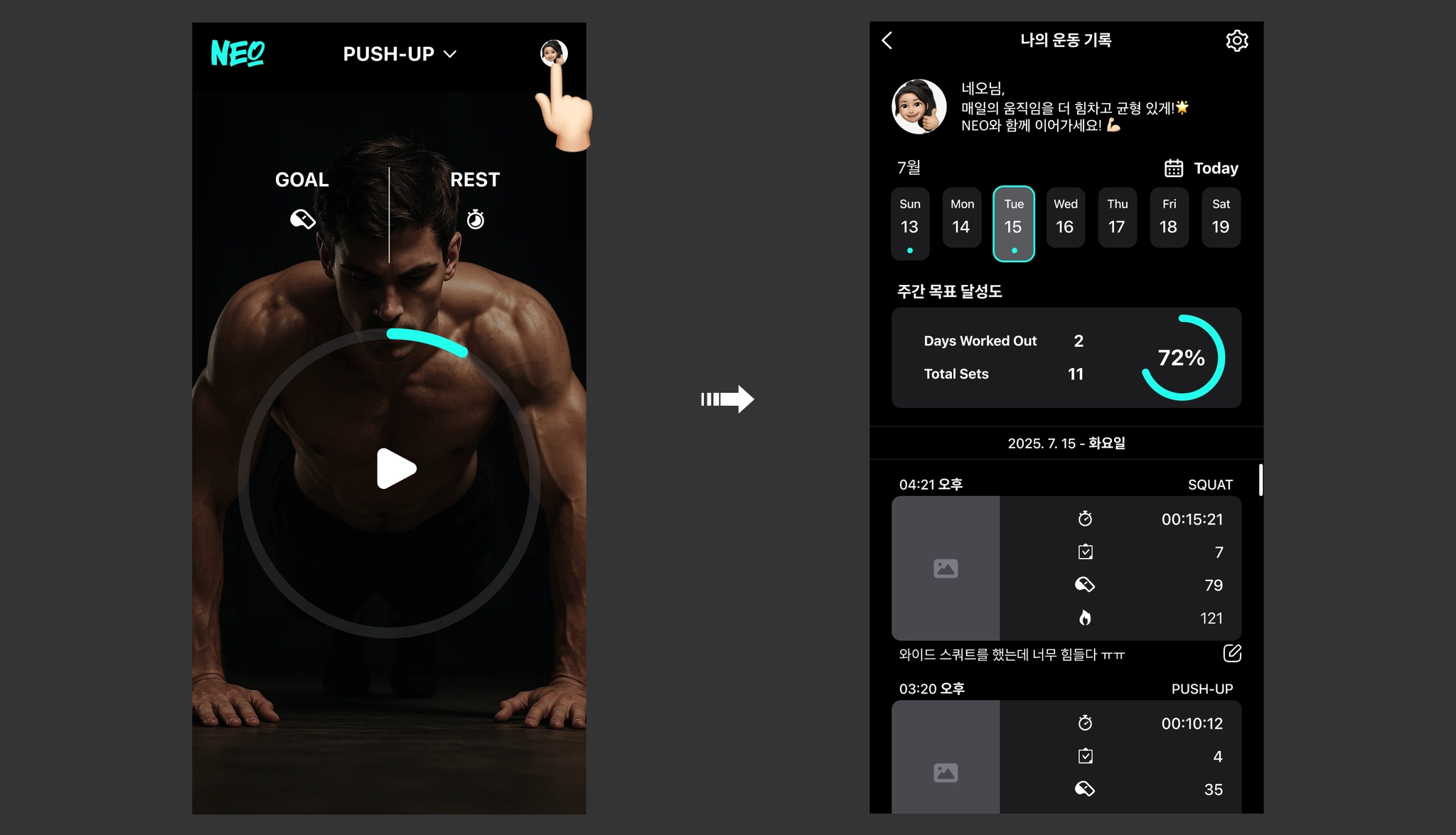
• Selecting a Date
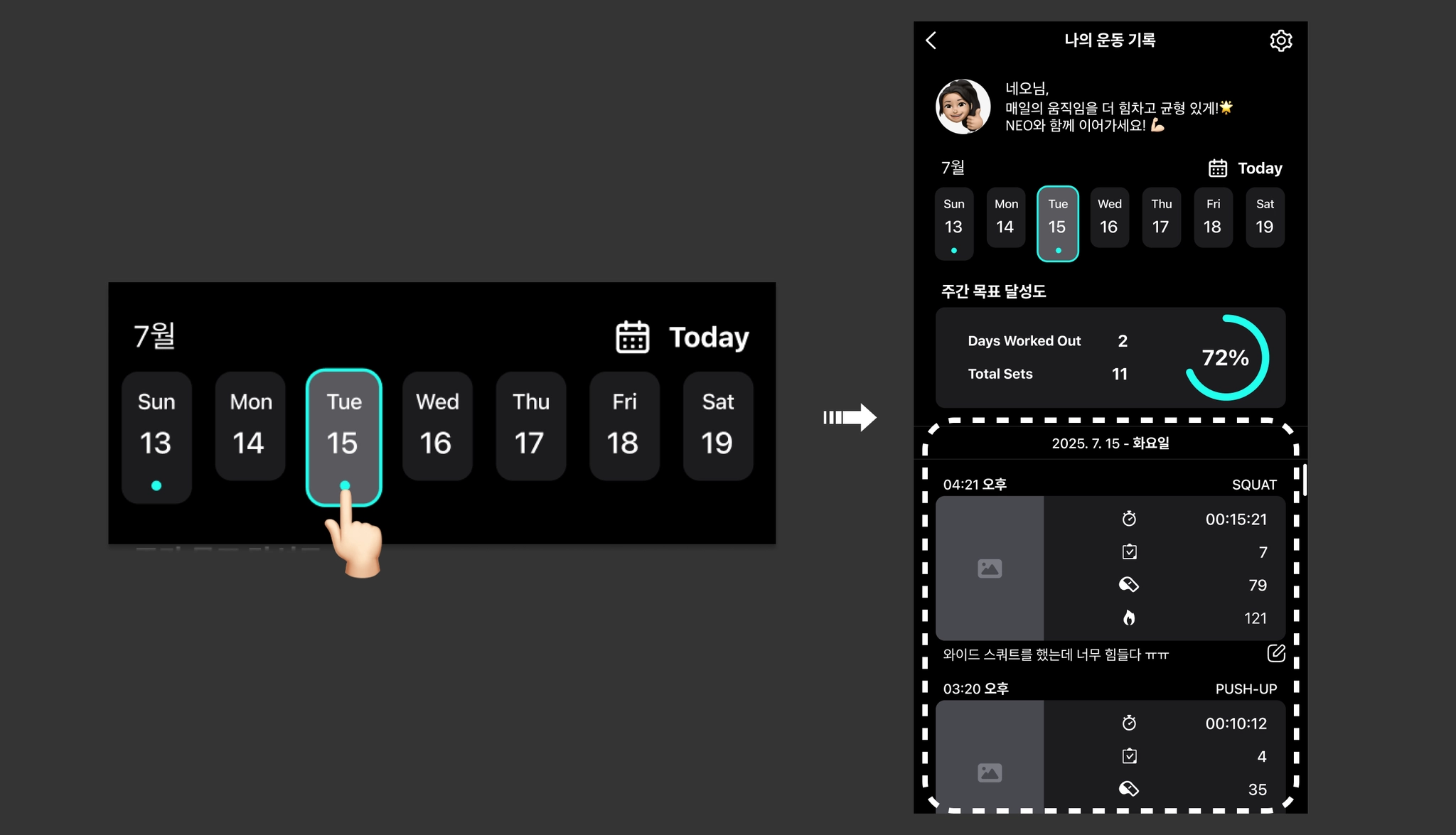
☛ When you select a desired date on the weekly calendar, the workout history for that date will be displayed at the bottom. A ● indicator will appear below the dates where a workout was performed.
☛ The weekly calendar can be swiped left or right to navigate between dates. You can tap the  icon to jump directly to a specific date, and the Today button allows you to quickly move to the current date.
icon to jump directly to a specific date, and the Today button allows you to quickly move to the current date.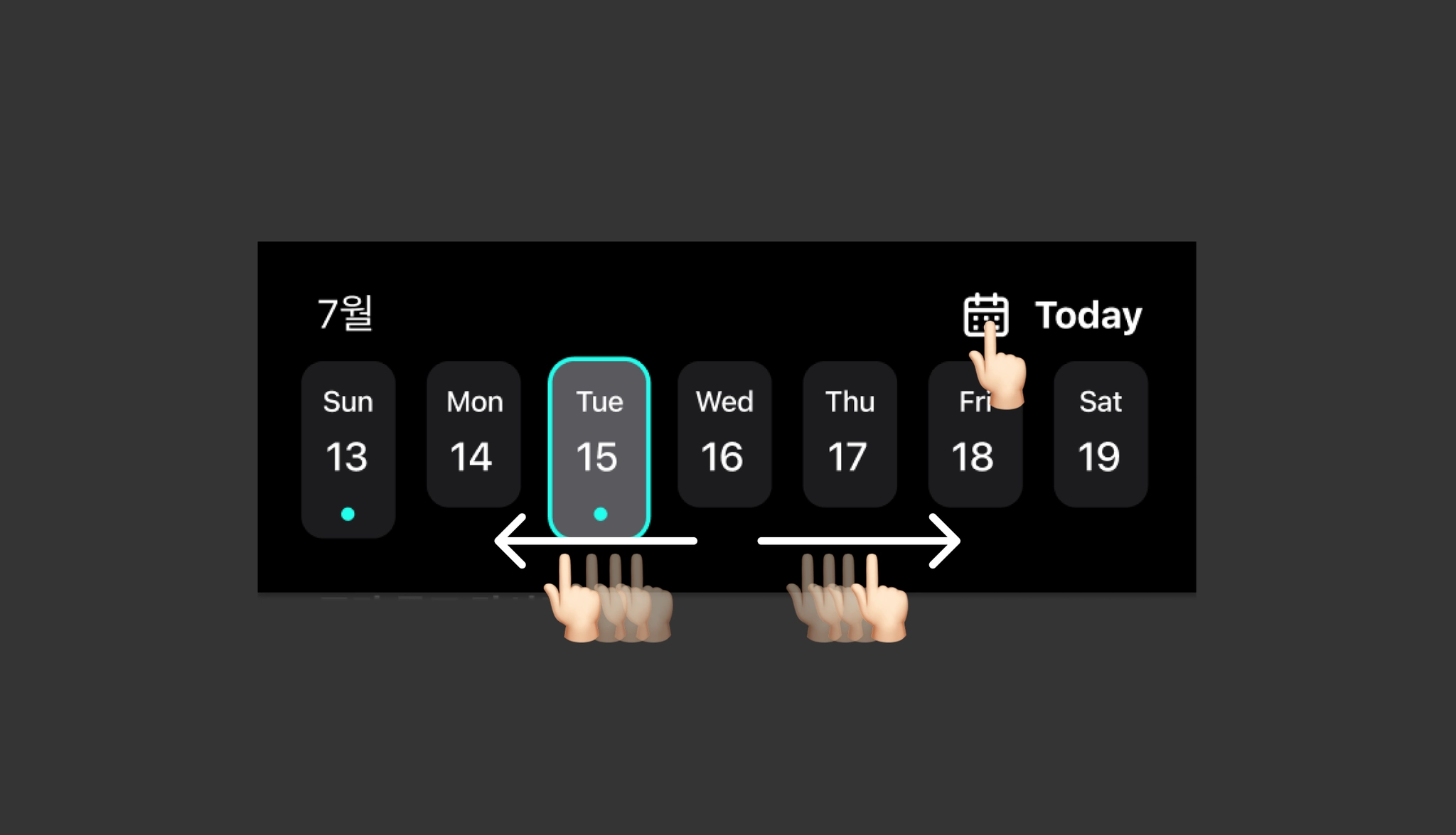
• Viewing Detailed Workout History
☛ When you select a workout entry, you can check the detailed records for that specific workout.
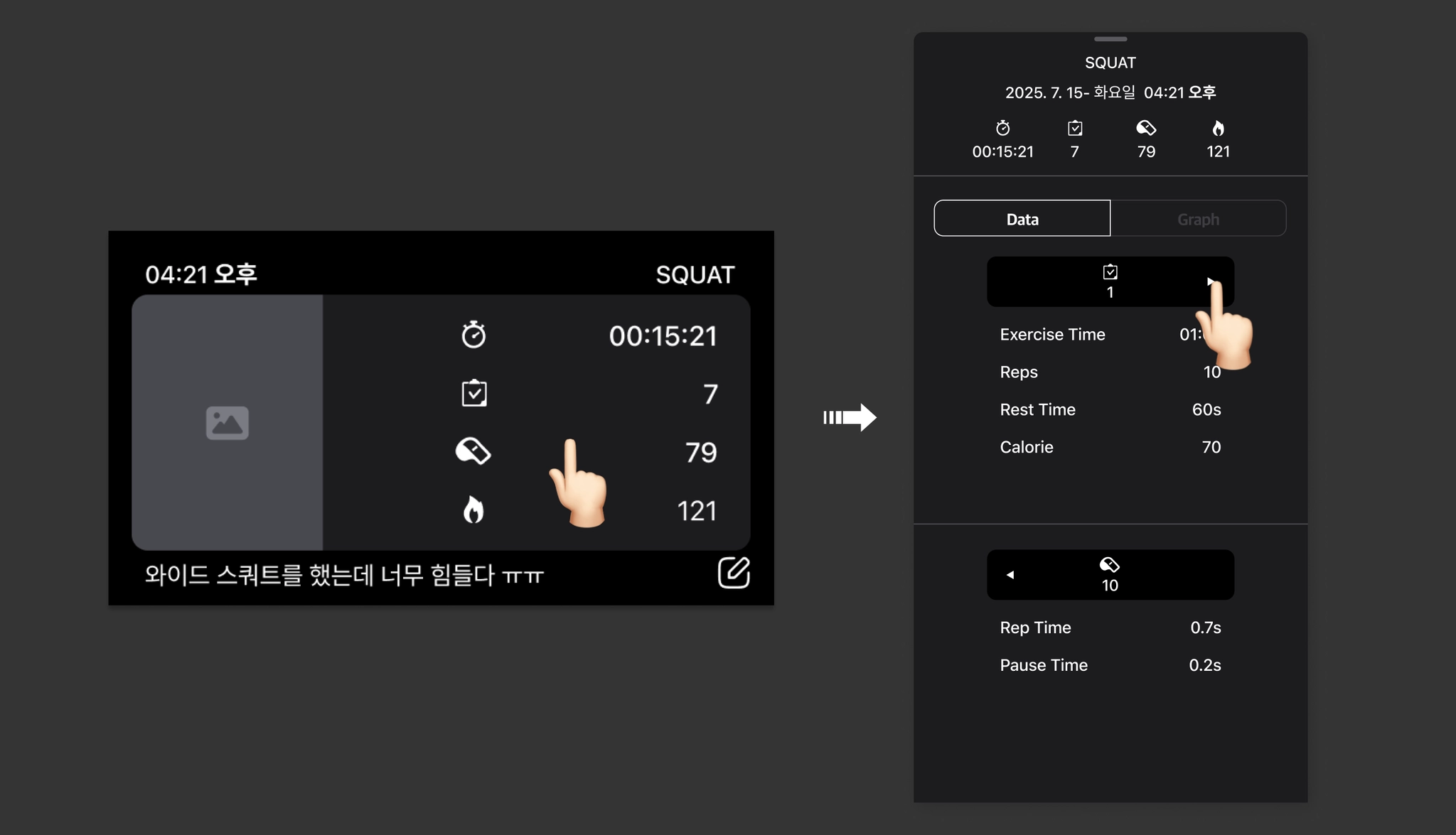
✓  : Total workout time spent on the respective exercise entry.
✓
: Total workout time spent on the respective exercise entry.
✓  : Total number of sets performed for the exercise entry.
✓
: Total number of sets performed for the exercise entry.
✓  : Total number of repetitions performed.
✓
: Total number of repetitions performed.
✓  : Total calories consumed by the respective exercise.
: Total workout time spent on the respective exercise entry.
✓ : Total number of sets performed for the exercise entry.
✓ : Total number of repetitions performed.
✓ : Total calories consumed by the respective exercise.☛ Detailed workout history can be viewed in the form of data and graphs.
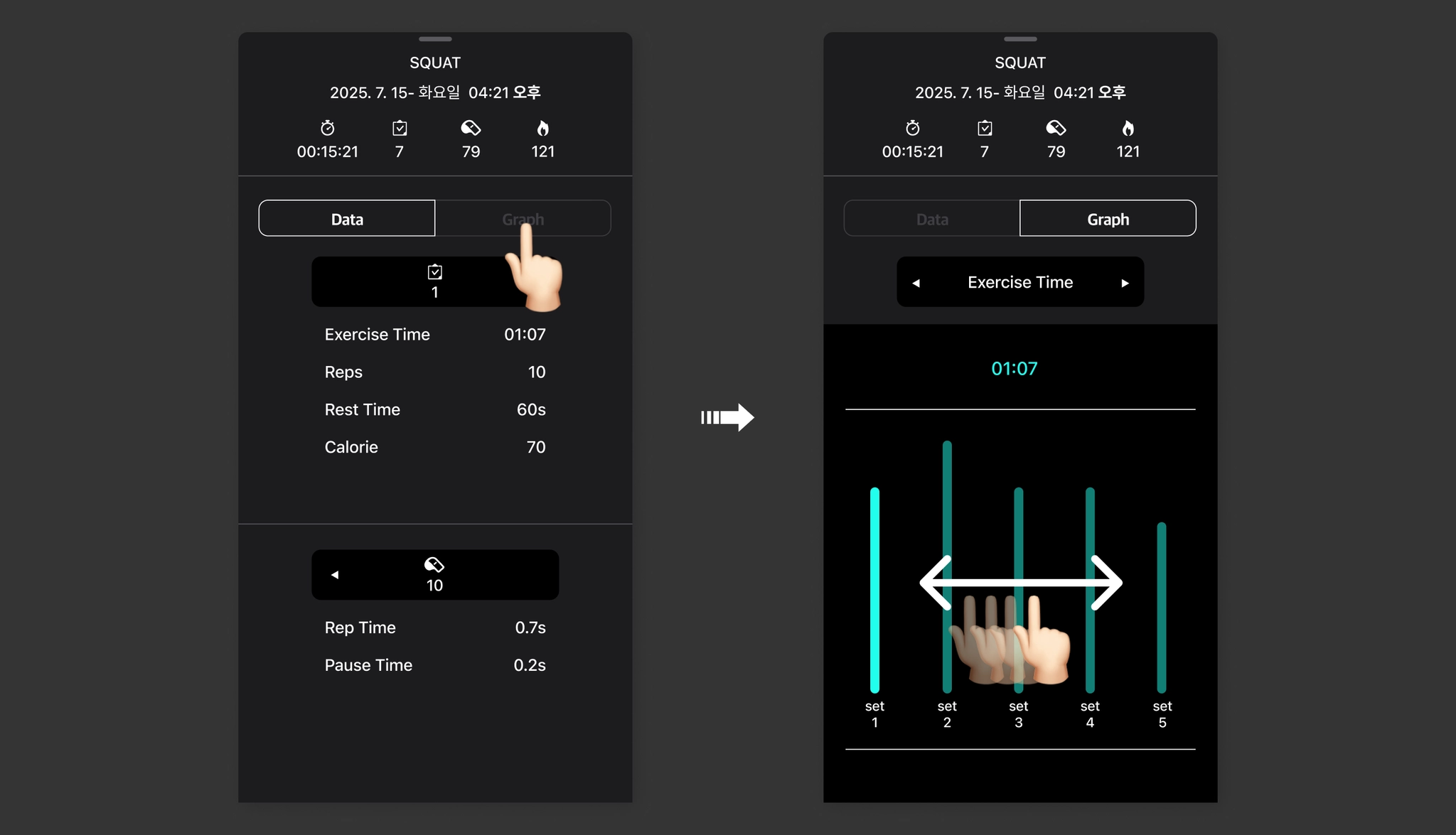
✓ Exercise Time : Workout time for the respective set.
✓ Reps : Number of repetitions performed in the respective set.
✓ Rest Time : Rest time between the respective set and the next set.
✓ Calorie : Calories consumed by the respective set.
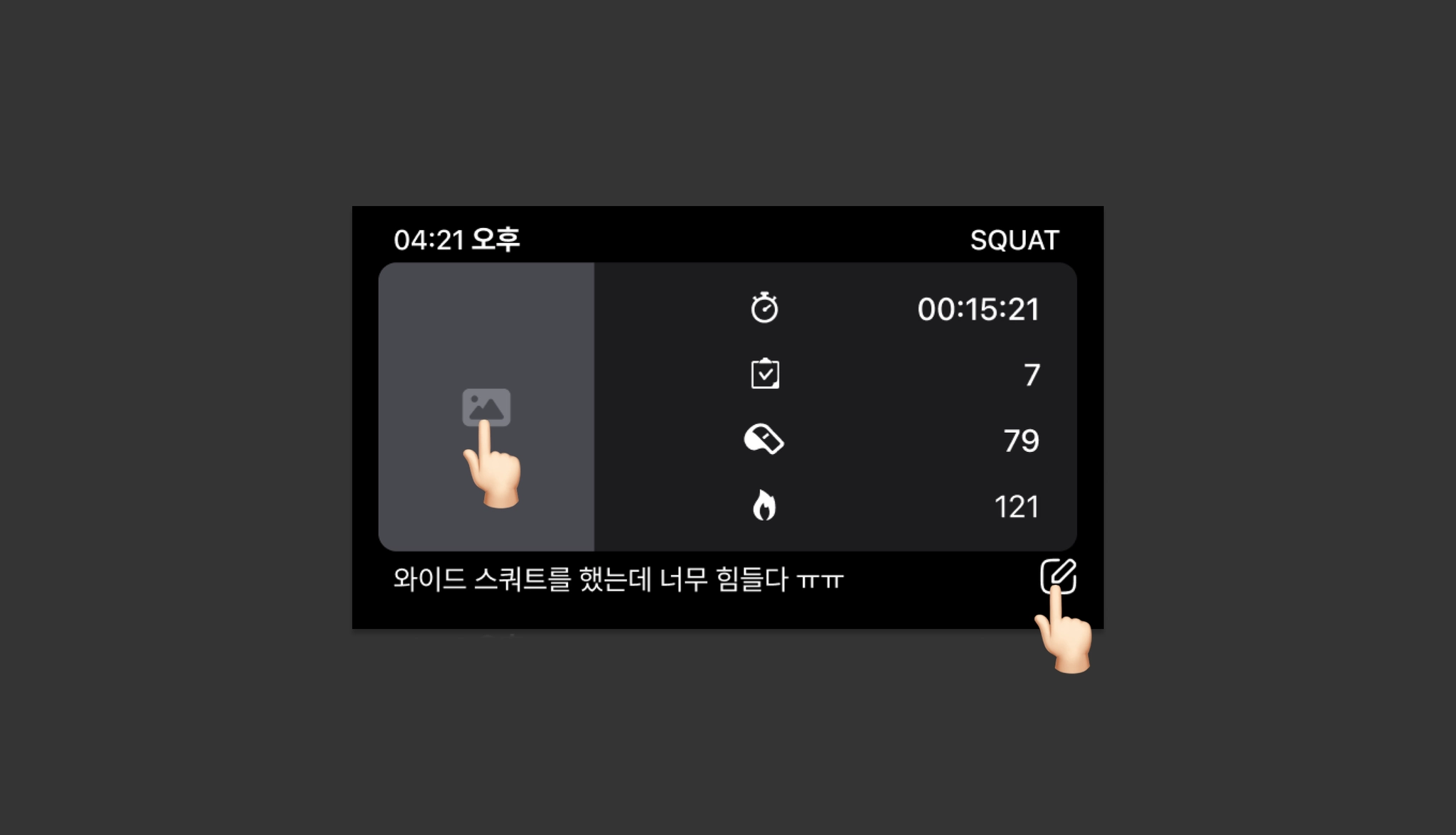
• Adding Separate Records to Workout Entries
☛ You can add photos or leave memos for each workout entry.
• Deleting Workout History
☛ Long-press a workout entry to delete the detailed record of that specific workout.
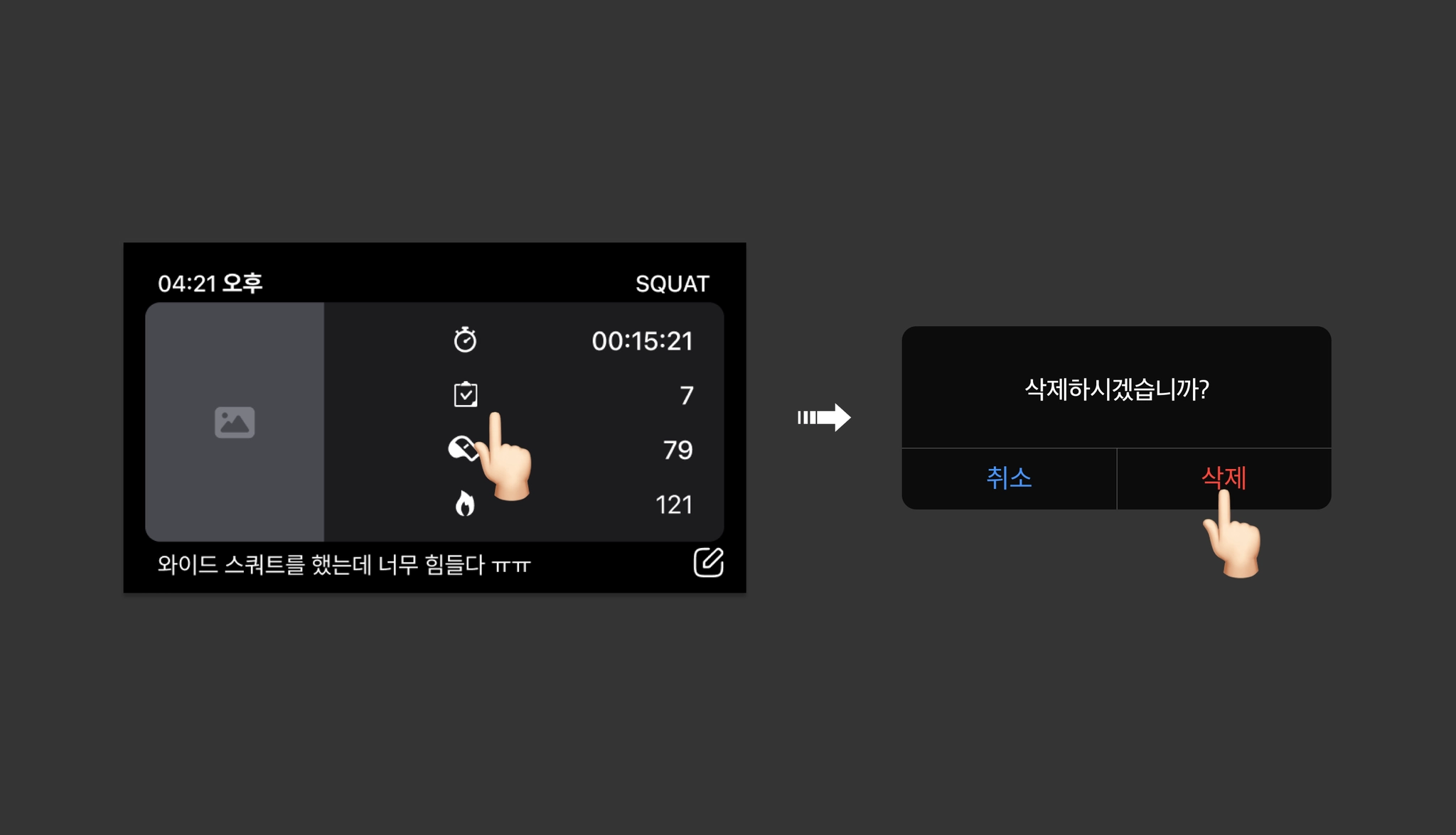
 Deleted items cannot be recovered, so please proceed carefully.
• Viewing Weekly Goal Progress
☛ Tap the Weekly Goal Progress tab to check the detailed achievement history based on your weekly workout routine.
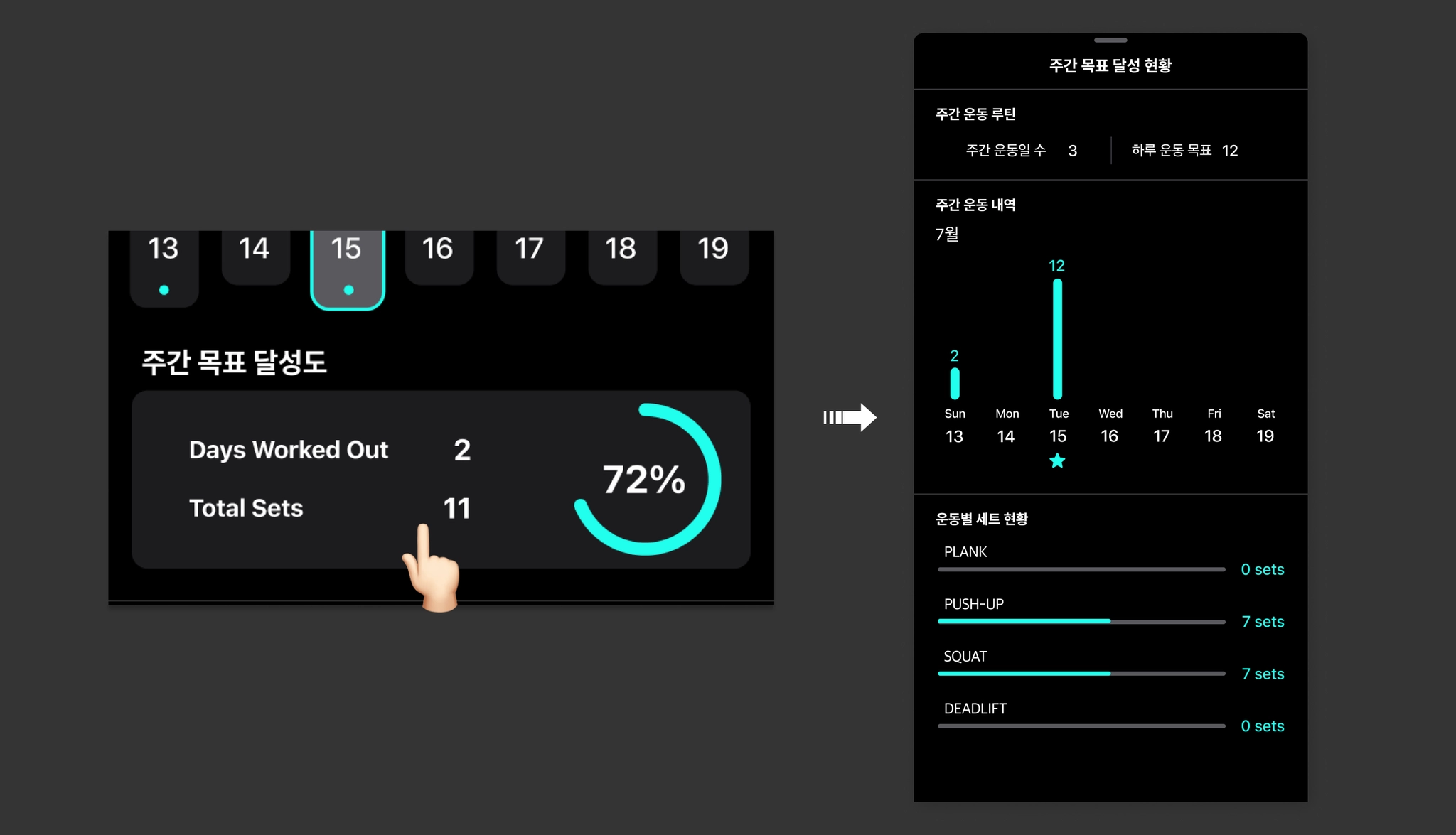
✓ The total number of achieved workout goals (sets) by date and by exercise is displayed, and a ★ indicator appears below the dates where the goal was achieved.
If a weekly workout routine is not set, the achievement rate will not be displayed.
If the weekly routine is modified, the achievement rate will be updated accordingly based on the changes.
If a weekly workout routine is not set, the achievement rate will not be displayed.
If the weekly routine is modified, the achievement rate will be updated accordingly based on the changes.• Setting and Modifying Personal Information
☛ Tap the icon to go to the Personal Information Settings page. Please update your physical information periodically for accurate workout tracking.
icon to go to the Personal Information Settings page. Please update your physical information periodically for accurate workout tracking.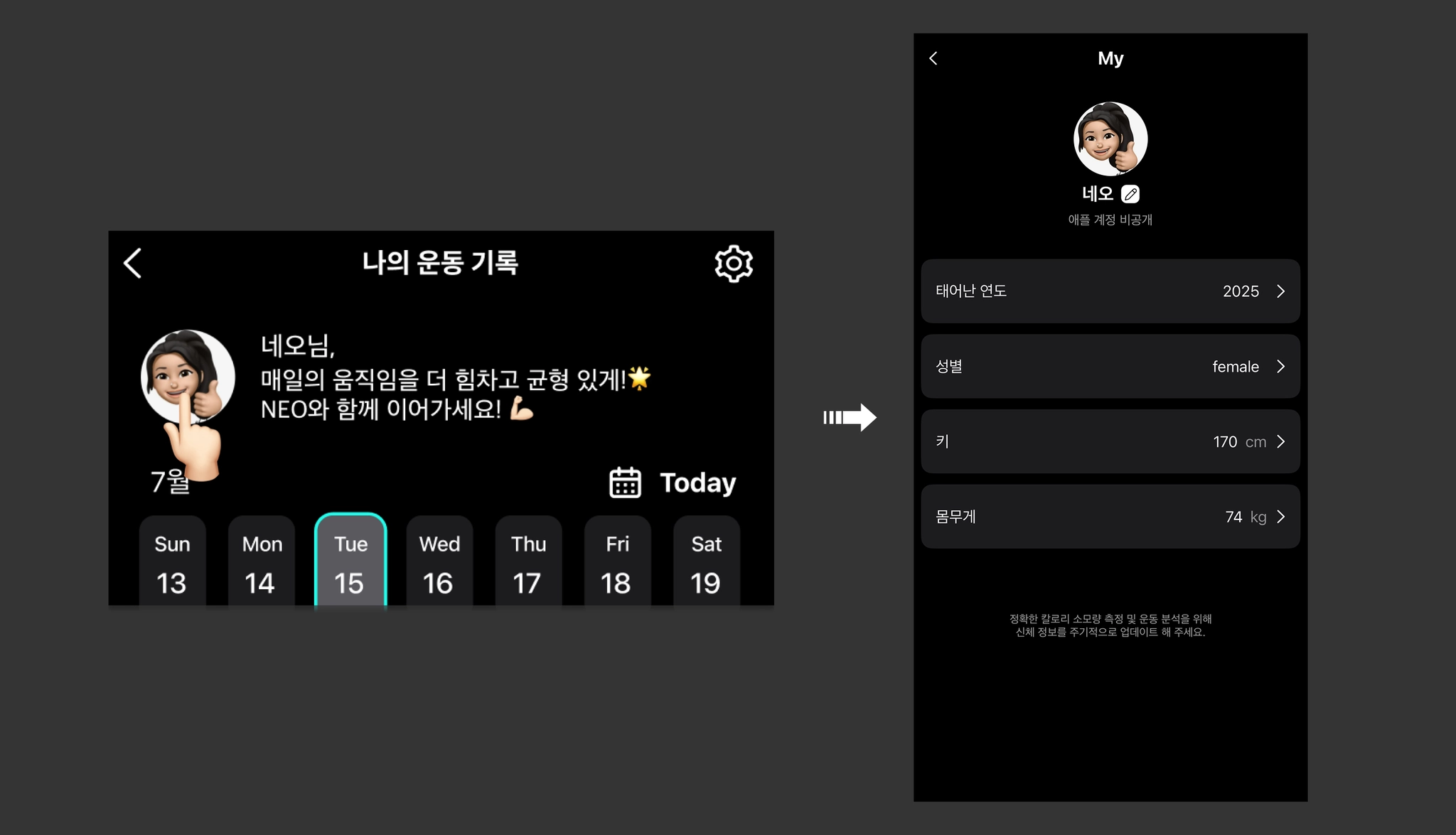 Accurate input of physical information is required for accurate workout recording and calorie measurement.