Membership Subscription
• Opening the Settings Page
☛ Swipe down the Home tab to go to the Workout Preparation Page. Tap the  icon on the top right to move to the My Workout History screen, then tap the
  icon on the top right.
icon on the top right to move to the My Workout History screen, then tap the icon on the top right.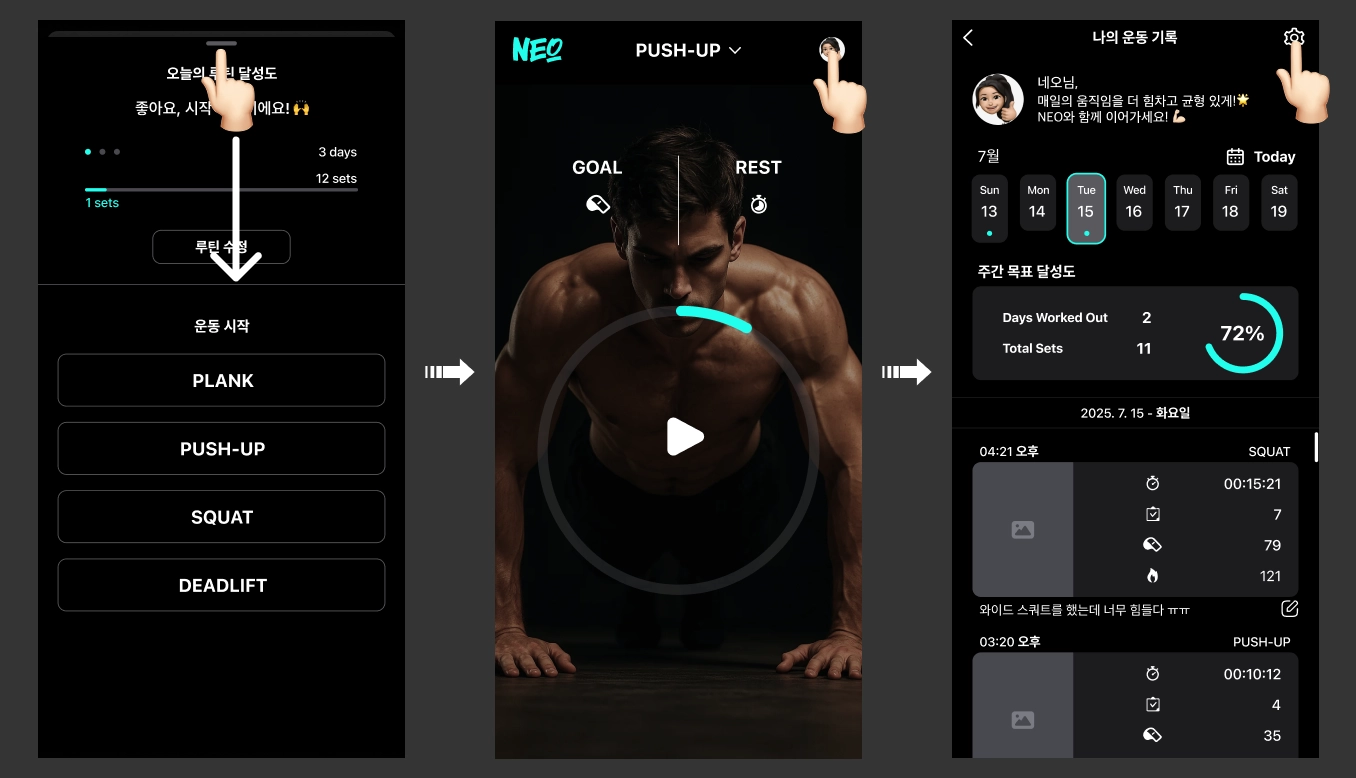
• Applying for Membership
☛ Tap the 'Membership tab' to move to the membership selection page.
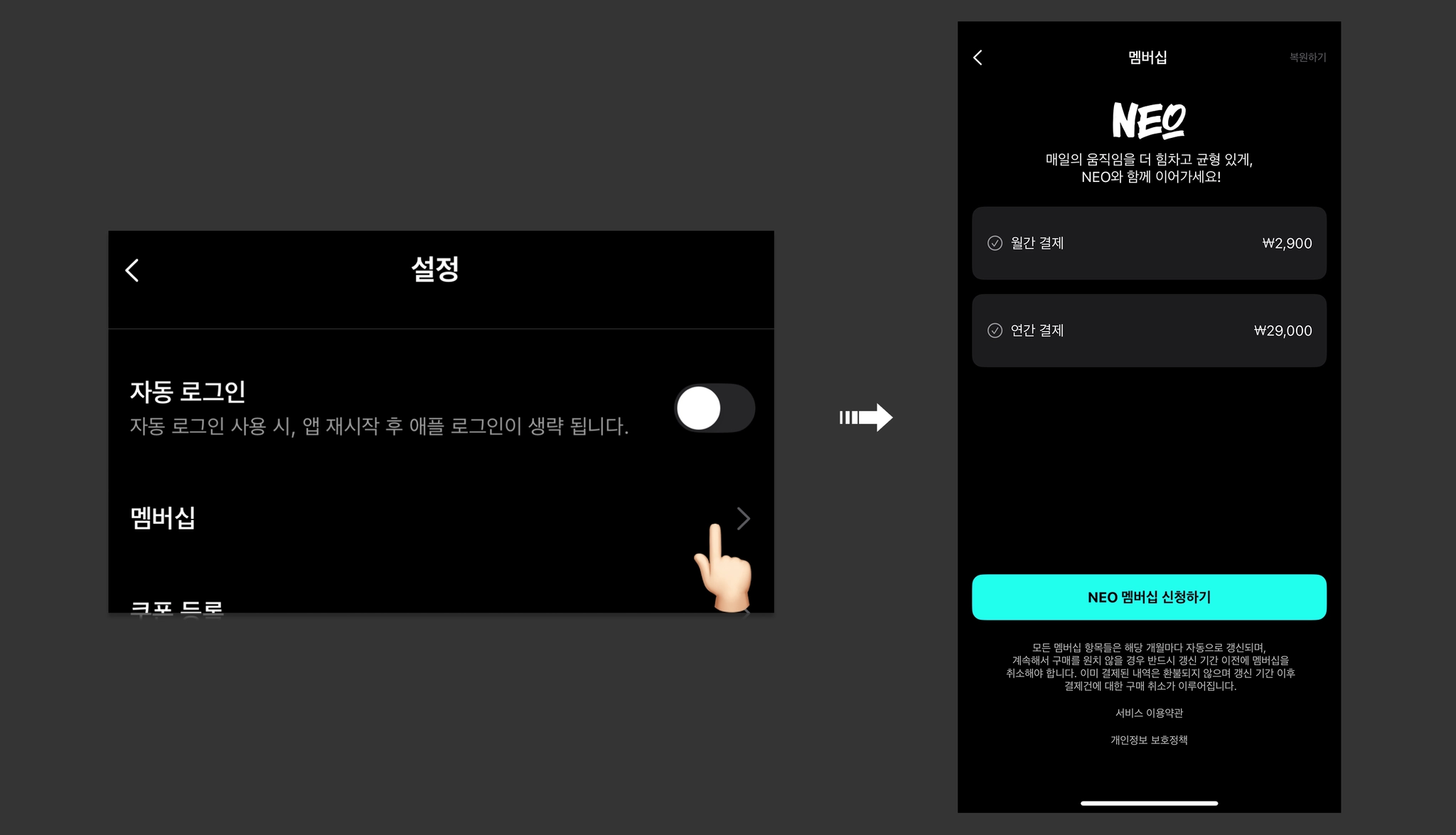
☛ Select either Monthly Payment or Annual Payment, then tap the [Subscribe to NEO Membership] button to complete your membership subscription.
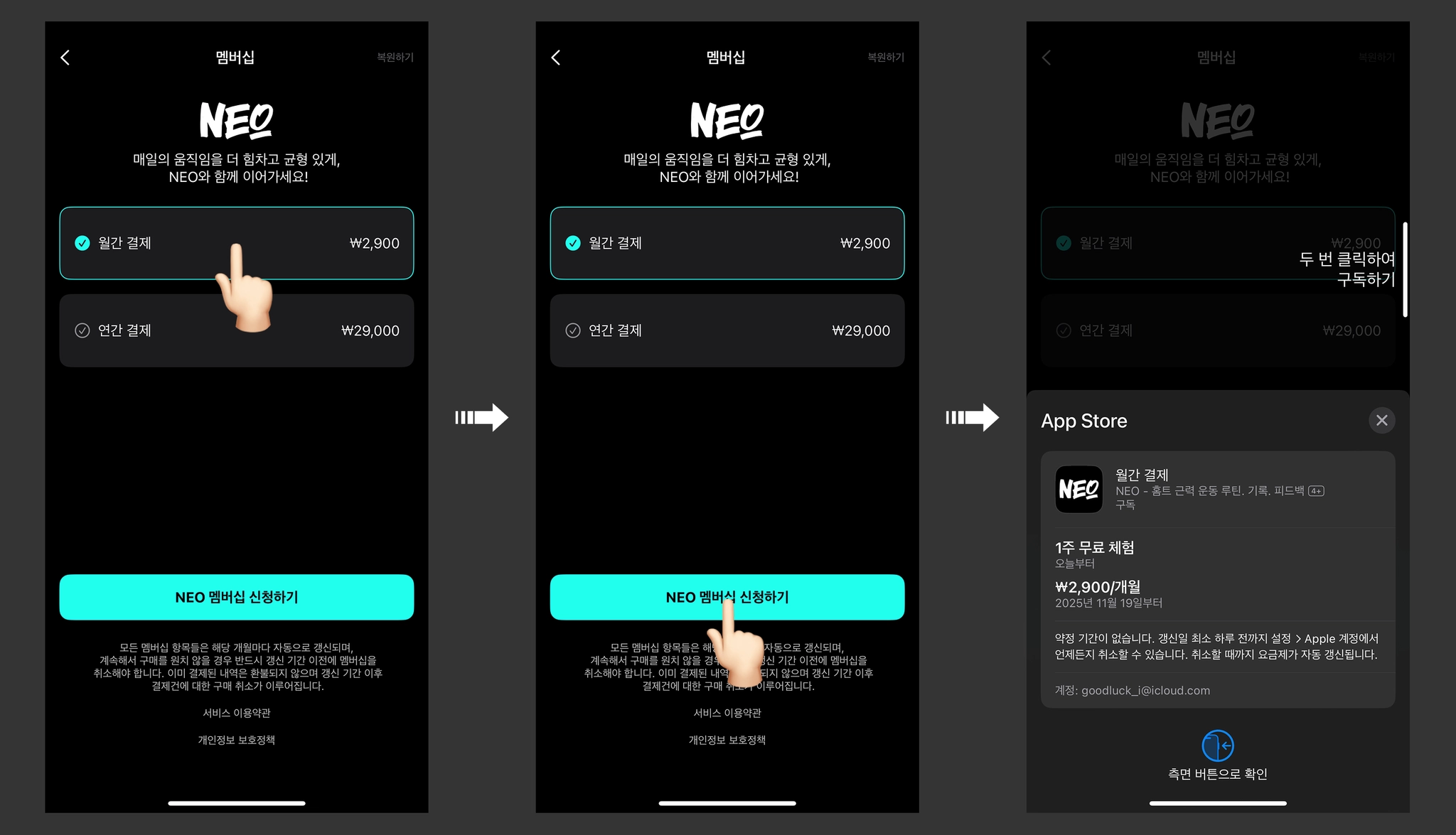
 If you wish to cancel your subscription, you must cancel at least one day prior to the renewal date.
✓ For iOS, please proceed with the subscription cancellation by selecting NEO from your currently subscribed items within the Subscriptions page in your phone's Settings.